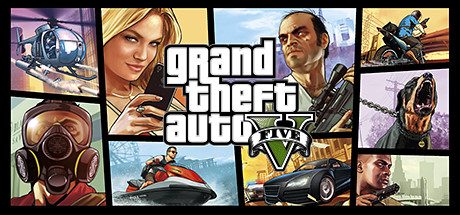
GTA 5 Nucleus Co-Op Guide
Run two Grand Theft Auto V instances in split-screen on a single PC using Nucleus Co-Op and LAN multiplayer emulation via the built-in local multiplayer.
Get game setup in NucleusRequirements
How to Set Up Grand Theft Auto V Split-Screen
GTA V split-screen via Nucleus uses the built-in local multiplayer to create a LAN session between two instances. Note this only works for GTA Story Mode online co-op (via mods like Five-M or LAN) — it does not connect to Rockstar's GTA Online servers.
- 1.
Install Nucleus Co-Op
Extract to C:\NucleusCo-op with Defender exclusions set. Use 7-Zip with password 'nucleus'.
- 2.
Download the GTA V Handler
In Nucleus, search for 'Grand Theft Auto V' and install the handler. Point it to GTA5.exe in your Steam game folder.
- 3.
Check Handler Notes
The GTA V handler has specific notes about required Rockstar Social Club version and whether Steam must be offline. Read these carefully before proceeding.
- 4.
Assign Controllers
GTA V requires Xbox-style controller controllers for split-screen. Assign one controller to each screen half in the Nucleus UI.
- 5.
Launch and Host LAN Session
Click Play. Once both instances load and pass the Rockstar launcher, use the story mode free roam or a compatible LAN multiplayer mod to connect the two instances.
Tips
GTA V is one of the most hardware-demanding Nucleus setups — a GPU with 8GB+ VRAM is recommended.
Set both instances to use the same graphics preset. Mismatched settings can cause one instance to stutter.
Disable the Rockstar overlay in both instances to reduce performance overhead.
The handler may require you to run Nucleus as Administrator for the built-in local multiplayer to work correctly.
For FiveM-based LAN co-op, install FiveM and connect both instances to a local FiveM server.
Common Issues
GTA V crashes on launch via Nucleus +
Social Club shows an error in the second GTA V instance +
GTA V is extremely slow with two instances +
About Grand Theft Auto V Split-Screen
Grand Theft Auto V was released in 2013 and remains one of the most played games on PC, but it has never included a local split-screen mode despite the PS3 and Xbox 360 era of GTA games having limited co-op features.
Nucleus Co-Op enables two GTA V instances to run simultaneously on a single PC. The built-in local multiplayer assigns separate Steam identities to each instance, and they connect via a LAN session. This enables co-op play in story mode using appropriate mods, or on a local FiveM server.
It is important to note that this setup does not connect to Rockstar's GTA Online servers and cannot be used for GTA Online play. Attempting to use the Nucleus setup with GTA Online would violate Rockstar's terms of service.
GTA V is one of the most hardware-demanding Nucleus setups due to the game's engine complexity. On mid-range hardware, expect lower framerates and some stuttering. Reducing graphics to medium or low on both instances significantly improves stability.