Nucleus Co-Op — Free Split-Screen for PC Games
Nucleus Co-Op (also searched as nucleus coop) is a free, open-source Windows app that adds split-screen multiplayer to games that don't support it natively — one PC, one copy of the game, multiple players.
"Adds remarkably smooth split-screen functionality to games that don't support it" — TechRadar
800+
Supported Games
100%
Free & Open Source
Windows
7 / 10 / 11
0
Subscription Required
What is Nucleus Co-Op?
Nucleus Co-Op is a free and open-source tool for Windows that allows split-screen play on hundreds of PC games that do not initially support it. The application was originally created by developer Lucas Assis, then significantly expanded by Zerofox, Ilyaki, and Mikou27, each adding features like multi-keyboard/mouse support, extended hooks, and an overhauled user interface.
Today, Nucleus Co-Op is maintained by the SplitScreen.Me community and supports over 800 games through game setups — small configuration files that tell Nucleus how to launch, connect, and arrange each title for split-screen play.
The app launches multiple copies of the same game, assigns each player their own controller or keyboard, and connects the copies over your local network. It then resizes and positions the windows into a split-screen layout on your monitor.
Nucleus Co-Op does not add multiplayer to single-player games. The game must already have some form of LAN, online multiplayer, or a supported mod (like Skyrim Together Reborn) for Nucleus to connect the instances. It also does not crack or bypass DRM — you need a legitimate copy of the game.
The application is completely free to download and use. The project is sustained by optional Patreon donations from the community. All source code is available on GitHub.
Is Nucleus Co-Op safe?
Yes. Some support files may trigger antivirus false positives. Add your Nucleus folder to Microsoft Defender exclusions before extracting. The project is 100% open source.
Is Nucleus Co-Op legal?
Yes. It requires you to own a legitimate copy of each game. It does not distribute game files or bypass copy protection.
How Nucleus Co-Op Works
Multiple Game Instances
Nucleus launches two or more copies of the same game on your PC simultaneously. Each instance responds only to one assigned controller, keyboard, or mouse.
Local Multiplayer Connection
Game copies connect over your local network so you can play together without an internet connection.
Automatic Window Layout
Nucleus removes window borders and automatically resizes and positions each game window to create a split-screen layout — horizontal, vertical, or custom grid.
Per-Game Setups
Each supported game has a setup file that tells Nucleus how to configure that title. Download setups from the game library inside Nucleus or at hub.splitscreen.me.
Multi-Input Support
Works with Xbox-style controllers, PlayStation controllers (via DS4Windows), and multiple keyboards and mice where supported.
Separate Controls Per Player
Nucleus routes each controller, keyboard, or mouse to the correct game window so players do not interfere with each other.
Popular Nucleus Co-Op Games
View all 800+ games
Halo: The Master Chief Collection

Elden Ring
Minecraft Java Edition

Grand Theft Auto V

Grounded

Left 4 Dead 2
Call of Duty: Black Ops 2
Call of Duty: Black Ops 3
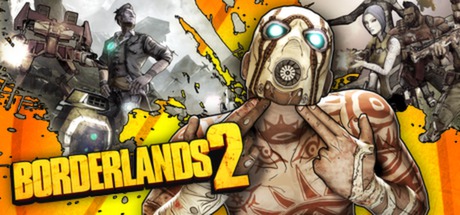
Borderlands 2
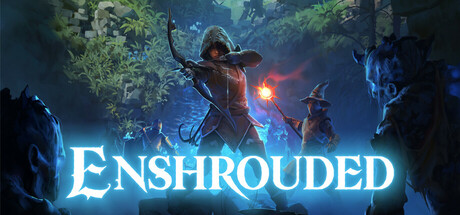
Enshrouded
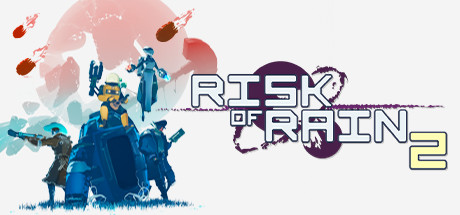
Risk of Rain 2
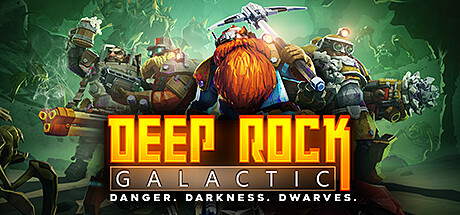
Deep Rock Galactic
Get Started in 4 Steps
01
Download Nucleus
Get the latest NucleusApp.zip from the official GitHub releases page.
02
Extract to C:\
Extract to C:\NucleusCo-op using 7-Zip (password: nucleus). Add to Defender exclusions first.
03
Add Your Game
Search for your game in Nucleus and install its game setup from the library.
04
Assign Inputs & Play
Drag your controllers to each screen section, click Play, and enjoy split-screen.
Frequently Asked Questions
What is Nucleus Co-Op? +
Is Nucleus Co-Op safe to use? +
Is Nucleus Co-Op legal? +
Is Nucleus Co-Op free? +
Does Nucleus Co-Op work with pirated games? +
More questions? See the full FAQ or visit the community subreddit.