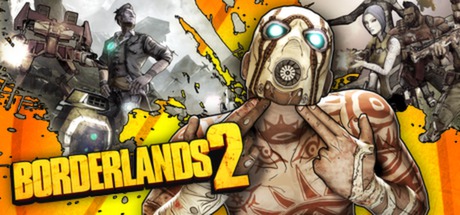
Borderlands 2 Nucleus Co-Op Guide
Borderlands 2 in local split-screen with Nucleus Co-Op supports up to 4 players for the full campaign, including all DLC. One of the most popular and easiest Nucleus setups.
Get game setup in NucleusRequirements
How to Set Up Borderlands 2 Split-Screen
Borderlands 2 is considered one of the best Nucleus Co-Op experiences. The handler is stable and well-maintained, and the game is perfectly suited to co-op play.
- 1.
Install game setup
Search 'Borderlands 2' in Nucleus and install. Point to Borderlands2.exe in Steam\steamapps\common\Borderlands 2\Binaries\Win32.
- 2.
Keep Steam Open
Steam must be running. The handler uses Steamworks LAN.
- 3.
Assign Controllers
Assign Xbox-style controller controllers. Borderlands 2 has excellent native controller support.
- 4.
Host LAN Game
Click Play. In the first instance, go to Play > LAN Game > Host. In the second, join via LAN browser.
Tips
Borderlands 2 with all DLC is regularly on sale for under $5 on Steam — a great value for co-op.
The game scales enemy health for additional players automatically when instances connect.
All character classes, skill trees, and loot are independent per instance.
Tiny Tina's Assault on Dragon Keep and other DLC campaigns all work in split-screen.
Set all instances to 'Windowed Borderless' in video settings before using Nucleus.
Common Issues
Borderlands 2 instances can't find each other's LAN game +
Character save data not persisting after Nucleus session +
About Borderlands 2 Split-Screen
Borderlands 2 is a looter-shooter RPG from Gearbox Software, renowned for its co-op gameplay and comedic writing. While the console versions included native split-screen, the PC version only supports online co-op — which is where Nucleus fills the gap.
The game is exceptionally well-suited to the Nucleus approach because its entire design revolves around 4-player co-op. Enemy health scales, loot drops adjust, and all content is accessible in multiplayer mode.
Borderlands 2 is frequently recommended as the ideal introductory Nucleus game due to its easy setup, excellent gameplay in split-screen, and the fact that it is almost always available for a very low price on Steam.
All Borderlands 2 DLC — including Tiny Tina's Assault on Dragon Keep, Mr. Torgue's Campaign of Carnage, and the level cap increases — works in the Nucleus split-screen configuration.