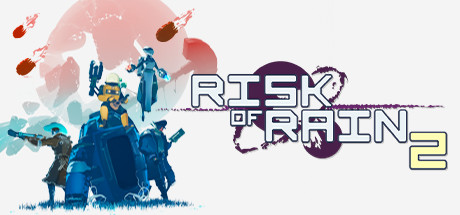
Risk of Rain 2 Nucleus Co-Op Guide
Risk of Rain 2 supports 2-4 player local split-screen via Nucleus Co-Op. One of the best roguelite co-op experiences in the Nucleus library.
Get game setup in NucleusRequirements
How to Set Up Risk of Rain 2 Split-Screen
Risk of Rain 2's Nucleus handler is stable and frequently updated. The game's lightweight engine means it runs well even with 4 instances.
- 1.
Install game setup
Search 'Risk of Rain 2' in Nucleus and install. Point to Risk of Rain 2.exe.
- 2.
Assign Controllers
Assign Xbox-style controller controllers to each screen section.
- 3.
Launch and Host
Click Play. In the first instance, host a private game (Steam or LAN). In the second, join via Steam friends or direct IP.
Tips
Risk of Rain 2 is lightweight — even 4-player split-screen runs smoothly on mid-range hardware.
All DLC characters and stages work in the Nucleus split-screen setup.
Higher difficulty levels (Monsoon, Eclipse) work the same in split-screen.
The game auto-scales difficulty with more players.
Common Issues
RoR2 instances can't join each other's lobby +
About Risk of Rain 2 Split-Screen
Risk of Rain 2 is a third-person roguelite shooter by Hopoo Games, praised for its expanding roster of characters, diverse items, and highly replayable runs. It supports up to 4 players in online co-op.
The Nucleus handler for Risk of Rain 2 is one of the easier setups, and the game's performance profile means most modern PCs can handle 4 instances without difficulty.
All Risk of Rain 2 DLC content — Survivors of the Void and Seekers of the Storm expansions — works in the split-screen configuration via Nucleus.
The game's roguelite nature makes it especially well-suited to split-screen play, as players can work together to build item synergies and tackle increasingly difficult runs.