Raft Nucleus Co-Op Guide
Raft local split-screen via Nucleus Co-Op supports 2-4 players surviving together on the ocean on a single PC using built-in local multiplayer.
Get game setup in NucleusRequirements
How to Set Up Raft Split-Screen
Raft has a straightforward Nucleus handler using Goldberg LAN. The game's simple network model makes setup easy.
- 1.
Install game setup
Search 'Raft' in Nucleus and install. Point to Raft.exe.
- 2.
Assign Controllers
Assign controllers to screen sections.
- 3.
Host and Join
Click Play. Host a game in the first instance. Join via Friends or LAN in the second.
Tips
Raft is lightweight and runs well with multiple instances on most modern PCs.
All Raft story content (Balboa Island, Temperance, Utopia) works in split-screen.
Resource collection and crafting are shared in multiplayer — all players benefit from gathered materials.
Common Issues
Raft second instance can't see the hosted game +
About Raft Split-Screen
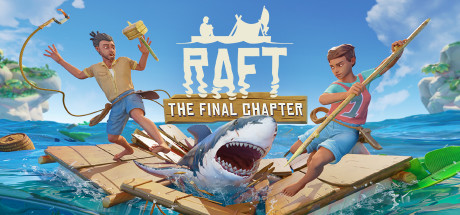
Raft is a survival game where players drift across a vast ocean on a raft, expanding it and exploring islands. It supports online multiplayer for up to 8 players.
The game's casual survival mechanics make it a popular choice for Nucleus Co-Op users who want a relaxing co-op experience. The Nucleus handler is stable and easy to configure.
Raft completed its full release (Chapter 3) in 2022, adding a complete story with multiple large islands to explore. All of this content is accessible in the Nucleus split-screen configuration.
The game is relatively lightweight, making it a good choice for lower-end PCs that want to experience Nucleus Co-Op without demanding hardware.